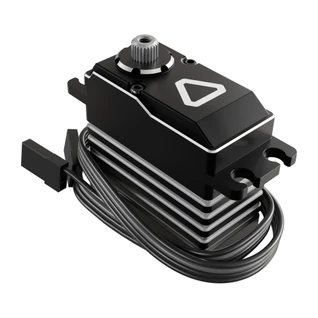
Axon Servo Programmer MK2
SKU:





The Axon Servo Programmer MK2 pulls double duty as both a comprehensive software programming interface and a standalone hardware servo tester. Whether you are dialing in exact endpoint limits at your desktop or testing an intake mechanism right on your robot, this tool unlocks the true potential of an Axon servo.
Compatibility
The Axon Servo Programmer MK2 is fully compatible with the Axon MINI Servo MK2 and Axon MAX Servo MK2.
Getting Started
Ready to program your servos? Follow these simple steps to get up and running:
- Download the Software: Install the Axon Software MK2 on your computer.
- Connect to Your PC: Connect the programmer to your computer using a USB-C cable (ensure your cable supports data transfer and isn't a charge-only cable). The status indicator at the bottom left of the screen will change to "Connected". The USB-C port will provide power to the programmer and servo, eliminating the need for a battery connected to the XT60 or JST-XH battery ports.
- Plug In Your Servo: Connect your compatible servo to the top row of the 3-pin headers on the left side of the programmer, ensuring the grey signal wire is oriented on the right-hand side.
- Read the Settings: Once the software indicates the servo is detected, click the Read button at the top to load your servo's current parameters. You are now ready to modify your settings.
- Save: Once you are happy with your changes, click Write to save your changes!
Switching Between Servo and Continuous Rotation Modes
To switch between Continuous Rotation and Standard Servo Mode, download the appropriate firmware from below. In Axon Software MK2, open the “UPF” tab and select the firmware file you downloaded. Wait for the log to confirm that the update was successful.
Programmable Parameters
When paired with the Axon configuration software, you can completely redefine how your servos behave to protect your mechanical assemblies and optimize your robot's performance. The software layout provides real-time current, peak power, and voltage monitoring while allowing you to adjust the following parameters:
- Mode (Standard or Continuous)
- Left and right travel limits
- Neutral position
- Power limit
- Sensitivity
- Soft start
- Damping
- Refresh rate
- 3-stage overload protection
- Loss-of-Signal behavior
- Enable/disable power-on sound (bottom right next to "Upgrade" button)
- Direction inversion (switch between CW and CCW)
Standalone Servo Testing
You don't need a computer or a control hub plugged in to verify your mechanisms. To test on the fly, supply power to the programmer, plug your servo into the left side of the device, hold down the enable button next to the joystick for 4 seconds until it beeps, and use the integrated joystick to manually sweep and center your mechanism.
You may supply power via any one of three available ports:
- USB-C Port: (Located on the top) It is recommended to supply 5V, 3A via this port.
- XT60 Battery Port: (Located on the bottom) 4.5V–8.4V input range.
- JST-XH Battery Port: (Located on the side) 4.5V–8.4V input range.
The XT60 and JST-XH ports can supply higher voltage and current than the USB-C port, potentially allowing for greater servo performance. When testing a mechanism, it is recommended to use a power source that matches the controller and operating conditions intended for competition.
Downloads
Specs
| Weight | 59g |
|---|---|
| Voltage Range | 4.5–8.4V (A higher voltage will cause the programmer to beep and disable) |
Related Products:
These products have been hand curated by our R&D team. We have selected products that are directly compatible with or very relevant to the 3102-0002-0001.